(Love - Canva)
Showing posts with label Tech Tip. Show all posts
Thursday, January 25, 2018
Tech Tip: Quote
Inspired by the holiday coming up, I decided to do something Valentine related. I did not think I would love Canva as much as I do! I am currently feeling to bias to try other quote makers. I love how versatile and how much options are available for free. It makes images look professional for ads, the whole works!
Fake Social Media Tech Tip
Since I do not have a Twitter, I find this simulation appealing. I did not think all the tech tips would be as fun and as knowledgable as they are. I am always amazed on how much there is on the Internet and it just grows.
(Tweet - Twitter Simulator)
Einstein Tech Tip
It is crazy on how much websites there are! I did not know this existed but I know that this won't be the last time I will be using it. I think every time one of these images are created, Einstein is looking down all happy, for he will never be forgotten with all of these pictures of him floating around. I wonder who thought of this. I would like to say thank you for your contribution to society.
(Einstein Lesson of the Day - Image Source)
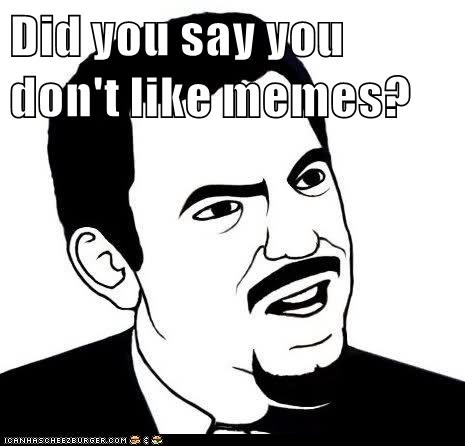
Tech Tip Cheeseburger
I love memes. I don't think I could ever get enough memes. I was also wondering for the longest time where all the cool cat memes from the class was coming from...
(Meme - Cheezburger)
Google Timer Tech Tip
I never knew Google had a timer. I always went to a separate website or I pulled out my phone. Now that I know, I think I will be using Google more since it is so convenient. I use a timer to limit my time on studying or doing certain subjects. Sometimes I become so immerse in an assignment or task that I could spend hours on one course when I really need to divide my time up wisely. For example, I have been doing epics of India way too much compared to my other classes, but it is because I consider this fun work! I also use a timer to time my breaks, if I don't, time flies and before I know it, it is bed time.
Google Define Tech Tip
I always knew that I could search the definition of a word on Google, but I did not know I could search the etymology! I think that is one of the best things technology has to offer, information at our fingertips. Sometimes I go to google to look up synonyms of words to reduce my redundancy. As I have entered my harder science courses, I have found myself looking up the words to see if I can make any connection to better understand the subject.
I decided to look up what my name meant. It was anticlimactic.
(Chelsea - screenshot)
(Ton - screenshot)
Typing Game Tech Tip
I thought the typing game Ninja Cat was very fun. It was also very nerve wrecking with all the sound effects. I am the type of person who is not good under pressure. It was also hard to defeat the dinosaurs because the text was too short. I am better typing continuously because I have context clues on where the other letters on the keyboard are, but pausing ruins my momentum. I liked Ninja Cat the best because I love ninjas and I love cats. I would rate my typing skills as a 6 or 7 on a scale of 10. This is because I have a lot of room for improvement but I am definitely not the worse. I would love to improve my typing skills.
Typing Test Tech Tip
My first site that I used to test my typing skills was Typing Test. I have not heard of Key Hero since today. I have always enjoyed playing typing games. I do prefer Key Hero over Typing Test. Typing Test uses the same passage, so it is easier to have muscle memory with the tale you type. However, I like that Key Hero regenerates a new paragraph to type. I also like Key Hero (58 WPM) better because I got a better score as opposed to Typing Test (49 WPM). I do wish to improve my typing speed. I believe my typing skills have improved within the last year. I would agree that good typing and good reading skills are important in any setting. For instance, I have a friend who types slower than I do and it takes him twice as long to finish his English papers than I did.
Tech Tip: Announcements email
I think the announcements page is super helpful, especially for me. I am not as organized as I would like to be. I think the announcements keep me on track to where I need to go. I always look at the announcements to see what needs to be done. It is a smart idea to have everyone on the same page. It is also very convenient when any new updates of changes are made to the announcements, that an email is sent. This is a nice feature to ensure I do not miss anything!
Tech Tip: Text to Voice
I will admit, the voice-to-text tool was odd. However, it is growing on me. It is a way to listen to what you wrote. Personally, I tend to skim proofread over my writings and this tool makes it easier to read slower and more carefully. I do not normally use voice-to-text tools because I would much rather listen to my music than critic my writing. I do think I will use it in the future to read over any important works that I may have.
Tech Tip: Word Counter
This is a very helpful extension. Depending on the subject, I can write too much or too little. It is a hassle to copy and paste the document onto Word, so this is a super easy shortcut that I think everyone should utilize. It makes the writing process a little quicker so you can focus your time on something else rather than copying and pasting from one site to the next.
Word Count: 73
Word Count: 73
Tech Tip: Canvas Notifications
I did not discover Canvas notifications until about last year. They were the best thing that ever happened to me! Sometimes I would forget assignments or things I needed to do, but when my phone or email pinged with a notification, I was reminded. I love the notifications because it tells me when a grade has been put in. I am an impatient person, so I can't wait to see my grades. I set up my notifications to send when a change has been made to canvas from my app and email. I doubled my notification so I would ensure I would not miss anything. I think this is a super useful tool!
Tech Tip: Canvas Calendar
I have not been one to use electronic calendars, so this was my first time really utilizing it. It is such a useful tool, I do not know why I didn't use it before! It is a great way for me to glance at my schedule and see exactly what I have planned. I was able to put my class, work, and study schedule. Along with that, I started putting my meeting times and hang outs with friends on there. I am feel more organized and less flustered with daunting tasks that lie ahead.
Wednesday, January 24, 2018
Tech Tip: Canvas Mobile App
I downloaded the Canvas app on my iPhone. I had no problems with the download. I think this is one of my most used apps. It is a super and convenient way to stay updated on canvas. I love it!
(I love Technology - Image Source)
Subscribe to:
Posts (Atom)